
🌟 This feature is included in the PREMIUM Plan
Admins/Owners only feature.
If you are an Admin/Owner, you can register time for another user from the “Register Time” section.
Firstly, you have to activate this option from the workspace menu.
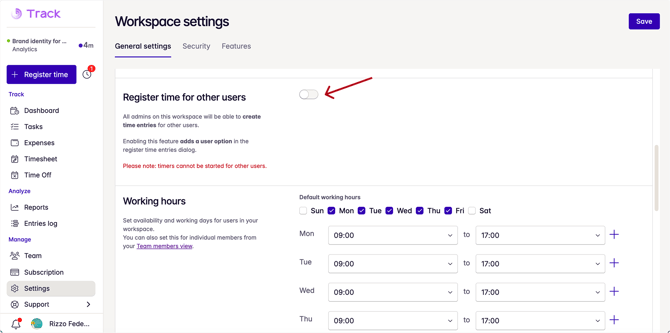
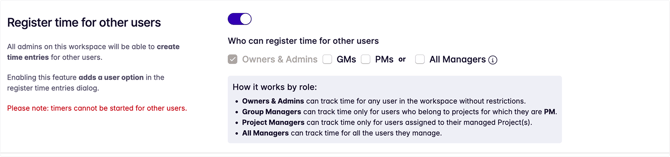
After you turn the feature on, Owners will be able to select who can register time, having control over which role is allowed to add time:
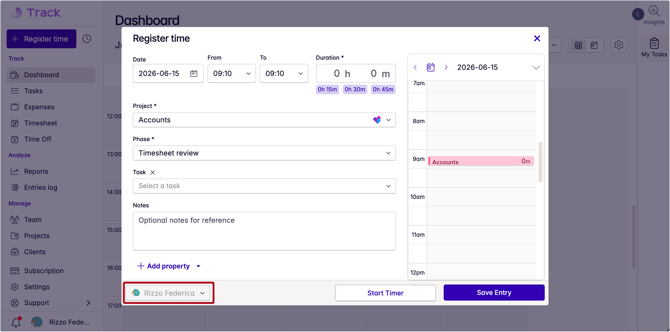
Then, open the Register time dialog:
-
You should see a brand new user option in the bottom left corner:
-
Click on the down arrow to select the user;
-
Select Project and Phase; make sure to enter the amount of time worked and the date;
-
Click on Save entry to confirm.